Hibiscus Flower Digital Paper Patterns: 20 Seamless Designs for Creative Projects
What Are Hibiscus Flower Digital Paper Patterns?
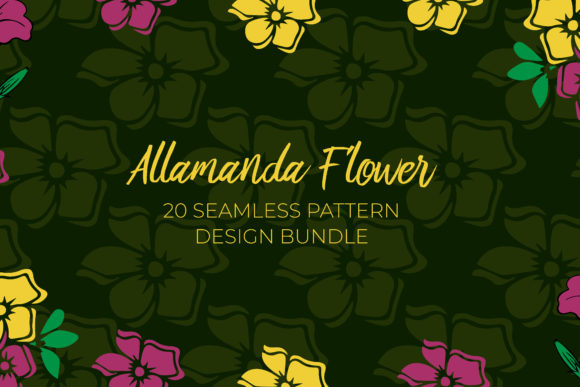
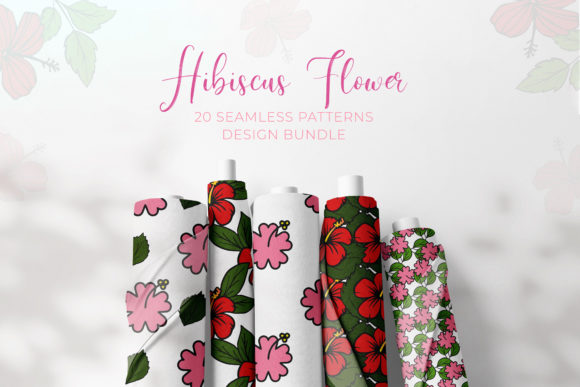
Hibiscus Flower Digital Paper Patterns refer to a curated bundle of 20 seamless digital paper designs, each featuring vibrant hibiscus motifs. These are high-resolution JPG files at 4500 x 4500 pixels with 300 dpi resolution and an RGB color profile. The seamless format means the patterns tile perfectly across large surfaces without visible edges, making them suitable for anything from small craft items to large-format prints and web backgrounds.
Unlike single-use graphics, these patterns are designed for repeat use across multiple projects. They are delivered as an instant digital download, so you can access them immediately after purchase and integrate them into your workflow without waiting for shipping or dealing with physical inventory. The bundle provides variety—20 distinct patterns—giving you options while keeping your asset library lean and focused.
How These Seamless Patterns Fit Into Your Creative Workflow
Digital paper patterns like this hibiscus bundle serve as foundational assets in many creative and business workflows. They are not one-off decorations; they are building blocks that can be applied before, during, and after a project depending on your process.
Before a project: When planning a new product line or campaign, you can browse the bundle to select a pattern that matches your brand palette or seasonal theme. Having a library of seamless patterns on hand reduces the need to commission custom artwork or spend time creating your own from scratch. You can quickly mock up concepts for invitations, packaging, or social media visuals and test them without heavy time investment.
During a project: As you move into production, the seamless nature of these papers allows you to scale the pattern to any size—whether you are designing a cell phone cover, a t-shirt print, or a scrapbook page. The high resolution (4500 x 4500 pixels) ensures clarity even when enlarged. You can use the RGB color profile for digital designs or convert to CMYK for print if needed. The patterns work as backgrounds, borders, or focal elements.
After a project: Because the designs are seamless, you can reuse the same pattern for follow-up items like matching stickers, gift tags, or web banners. This consistency across collateral saves time and reinforces your visual identity. If a client loves a particular hibiscus design for a party invitation, you can produce complementary items without starting from zero.
Practical Applications and Use Cases
The 20-pattern bundle is versatile enough for several professional and personal projects:
- Planner layouts and bullet journals: Use the papers as background fills for weekly spreads, habit trackers, or cover pages. The seamless tiling means you can print full-page inserts without awkward seams.
- Invitations and stationery: Apply a pattern to the border or full background of an invitation card, then carry the same pattern to envelopes, thank-you notes, and RSVP cards for a cohesive set.
- Scrapbooking and junk journals: Print the digital papers and cut them to size. Because they are JPGs, you can also layer them in digital scrapbooking software and adjust opacity or blend modes.
- Product packaging: Small business owners can use the patterns for bottle caps, labels, or magnet sets. The seamless repeat ensures the design wraps around cylindrical surfaces or continuous strips without breaking.
- Merchandise design: T-shirts, tote bags, and cell phone covers often use repeating patterns. The 300 dpi resolution gives you enough detail for screen printing or DTG (direct-to-garment) printing. You can also resize the pattern in your design software to fit the product dimensions.
- Web and social media backgrounds: Since the patterns are in RGB, they are ready for digital use. Use them as hero section backgrounds, Zoom virtual backgrounds, or Pinterest pin graphics. The seamless tiling ensures the pattern repeats smoothly on screens of any size.
- Jewelry and accessory design: For resin pieces, shrink plastic, or earrings, you can print the pattern onto transfer paper or directly onto the base material. The small repeat allows you to capture the hibiscus motif even in compact shapes.
Integration with Design Tools and Platforms
These digital papers are platform-agnostic, meaning they work with virtually any design software that accepts JPG files—including Adobe Photoshop, Illustrator, Canva, Affinity Designer, Procreate, CorelDRAW, and free alternatives like GIMP or Inkscape. They also upload easily to print-on-demand platforms such as Printful, Redbubble, or Zazzle.
Because the files are large (4500x4500), they give you flexibility to crop, rotate, or combine patterns. You can also use them as fill layers in vector programs—just place the JPG into your document and set it as a pattern overlay. In Canva, you can upload the image and use it as a background element directly. In Photoshop, you can define a custom pattern by going to Edit > Define Pattern, then fill a layer with it using the Pattern Overlay option. This integration step turns the downloaded JPG into a repeatable pattern you can apply instantly across multiple documents.
If you use digital planning systems like GoodNotes or Notability, you can import the pattern as a background page for note-taking. Simply open the JPG in a PDF converter, adjust the page size, and load it into your planner app.
Tips for Preparation, Organization, and Long-Term Use
To get the most out of this bundle, treat it as a long-term asset library. Here are practical ways to handle it:
- Immediate organization: Unzip the downloaded folder and rename each file with a descriptive name (e.g., “hibiscus_red_white_seamless.jpg”). Add a tag like “tropical” or “floral” to your file metadata. Store the folder in a cloud service (Google Drive, Dropbox) and on your local drive for offline access.
- Create a color palette reference: Open each pattern in your design software and extract 3–5 dominant colors. Save these as a custom swatch file. This helps you match other design elements—like text, icons, or borders—to the pattern consistently.
- Batch test before use: Before committing to a large print run or complex design, import a few patterns into your software and test them at actual print size. Check if the pattern’s scale feels right for your item. For smaller products (e.g., jewelry or bottle caps), you may want to reduce the pattern size so the flowers fit properly.
- Version control: If you edit a pattern—for example, desaturating it or adding a texture—save it as a new file with a version suffix (e.g., “hibiscus_red_grayscale_v1.jpg”). Keep the original untouched so you can always revert.
- Consider DPI for print: At 300 dpi, the pattern remains sharp up to about 15 inches wide. If you need a larger print (like a banner), you can use a tiling method in your layout software or ask a print shop to scale the file. The seamless repeat makes tiling easy—just place multiple instances of the same image side by side.
- Periodic audits: Every few months, review which patterns you use most often and which have not been used. This helps you decide whether to purchase similar bundles or invest in complementary assets (like solid color papers or coordinating clip art).
Quality Control and Consistency Across Projects
Consistency is key when you manage a brand or sell products. The hibiscus bundle gives you a controlled set of patterns, so you can establish a recognizable visual language. However, you should still implement quality checks:
- Color matching across mediums: Monitor how the pattern appears on different screens versus print. Use a calibrated monitor if possible. Request a physical proof from your print provider before large runs.
- Seamless proofing: Even though the patterns are marketed as seamless, test them on a large canvas (e.g., 13500x13500 pixels, three repeats each way). Look for any visible seams, especially if you will use the pattern on a wall or fabric.
- File format compatibility: Some cutting machine software (for stickers or vinyl) prefers PNG or SVG. Convert the JPG to PNG if you need transparent backgrounds, but be aware that the pattern itself will still have a rectangular shape. For truly transparent pattern repeats, you may need to create a clipping mask or use software that handles JPG pattern fills.
- Backup your purchase: Since this is a digital download, download the files immediately and back them up in at least two locations. Lost downloads are not always recoverable, so treat these assets with the same care as any other purchase.
By integrating these 20 seamless hibiscus designs into your workflow deliberately, you save time, maintain visual cohesion, and expand your creative options without accumulating endless unused files. Whether you are a small business owner preparing a product line or a hobbyist planning a themed journal, the bundle offers a practical foundation that adapts to your process rather than dictating it. The real value lies not in the patterns themselves but in how you apply them across projects—consistently and efficiently.