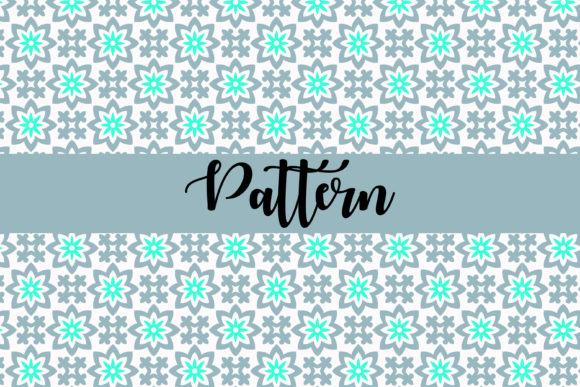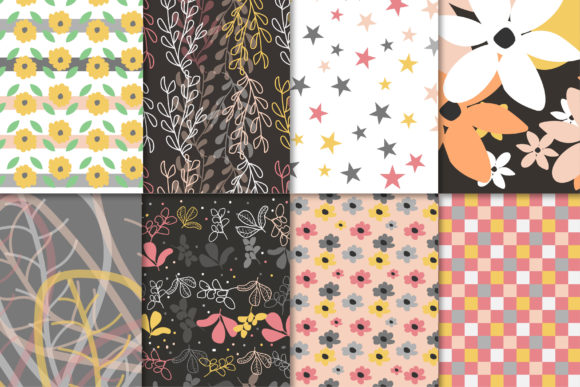
Floral Digital Paper Patterns
Floral digital paper patterns are one of the most versatile design resources available today. Whether you are a small business owner creating product packaging, a freelancer working on branding projects, or a hobbyist crafting handmade cards, these patterns save time and elevate your work instantly. A typical pack, such as the one we’ll discuss here, includes multiple file formats—EPS, AI, SVG, and 12 high-resolution JPGs—all at 300 DPI and sized at 12×12 inches. This combination gives you the flexibility to design for anything from T-shirts and mugs to invitations and stickers. But as useful as these patterns are, many people run into avoidable issues that hurt their final results. Let’s walk through the most common mistakes I’ve seen, and more importantly, how to steer clear of them.
Choosing the Wrong File Format for Your Project
One of the most frequent misunderstandings I encounter is thinking that a JPG is all you need. JPGs are great for quick mockups, but if you plan to scale your design to a large banner or resize it for a phone case, you need a vector format. The EPS, AI, and SVG files in your pattern pack are vector-based. This means they can be enlarged infinitely without losing clarity. I’ve seen designers spend hours trying to stretch a JPG of a floral pattern only to end up with jagged edges and blurry flowers. The better approach is to start with the vector version of the pattern, especially if you are designing for print or need to adjust colors later. For example, when creating a sticker that needs to be perfectly sharp at any size, import the SVG or EPS into your design software instead of the JPG. This small habit will save you frustration and produce professional-grade results.
Overlooking Resolution and DPI for Print Projects
Another overlooked detail is the importance of 300 DPI and the physical size of the pattern. Many people assume that any digital image will print beautifully, but that’s not true. The pack you are looking at provides JPGs at 300 DPI and 12×12 inches. That means you can print these patterns at full size on standard paper or fabric without needing to upsample. A mistake I often see is using a low-resolution version of a floral pattern—maybe one downloaded from a free site—and then wondering why the print looks pixelated or soft. If you are making products like mugs, hoodies, or even simple poster cards, always use the high-resolution JPGs. For larger applications, switch to the vector files. Check your software’s document settings before placing the pattern. If you are designing for a 12×12 inch canvas, drop the JPG directly. If you are scaling down to a 4×6 inch card, the resolution stays excellent because the source is already crisp. Understanding DPI and file origins prevents wasted materials and disappointing finished goods.
Misunderstanding Commercial Use and Licensing
A quiet but costly error involves licensing. Many digital paper packs come with terms about how you can use the patterns. Some allow personal use only, while others permit commercial use but with restrictions. The pack described here—with EPS, AI, SVG, and JPG files—is often sold with a commercial license that covers items like T-shirts, mugs, phone covers, stickers, and more. But I’ve seen creators assume that all floral digital paper patterns are free to use on merchandise, only to receive a takedown notice or a bill later. Always read the licensing agreement before you start selling. If you plan to create products for clients or sell your own designs on print-on-demand platforms, make sure the license explicitly allows that. When in doubt, contact the seller. A quick email can save you from legal headaches. For this particular pack, the inclusion of multiple file types and the mention of use cases like “clothes,” “bags,” and “invitation design” strongly suggests broad commercial use, but confirming this is a step you should never skip.
Ignoring Color Management and Pattern Repeat
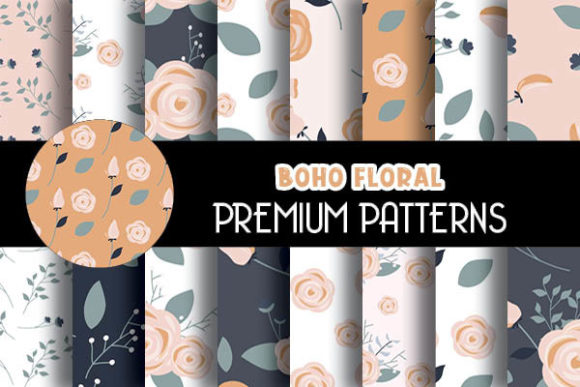
Floral patterns often have subtle color variations and repeating elements that can trip up even experienced designers. One common misstep is not checking how the pattern tiles when applied to a large surface. If you are using the JPG version for a poster or fabric, you need to ensure that the edges match up seamlessly. The patterns in a good pack are designed to tile perfectly, but you still need to set your software to repeat the pattern correctly. I’ve seen someone print a beautiful floral design on a hoodie, only to have a visible seam in the middle of the front because the pattern was not applied as a repeating tile. The fix is simple: use the pattern fill function in your graphics program, or duplicate the JPG multiple times and align the edges. For vector files, use the pattern swatch tool. Another issue is color shifts. When printing on different materials—like a glossy mug versus a matte sticker—the colors can look slightly different. Always do a test print on the actual material you intend to use. The floral designs in this set are rich and vibrant, but they might need a small brightness adjustment for dark backgrounds. Take two minutes to calibrate, and your final product will look intentional, not accidental.
Using Patterns on Every Surface Without Context
Having a beautiful floral digital paper pattern is exciting, and it’s easy to want to use it everywhere. But a mistake I often see is applying the same pattern to a T-shirt, a mug, and a phone cover without considering the item’s shape or function. A full-coverage floral pattern on a T-shirt can be overwhelming; on a mug, it works beautifully because the surface is curved and smaller. For a phone case, a partial pattern or a centered floral motif often looks better than a repeating tile. Think about the item’s visual hierarchy. If you are designing an invitation card, the pattern might work best as a border or a background behind the text, not covering the whole page. The pack’s 12×12 inch JPGs give you plenty of room to crop or rotate the pattern to fit your needs. I recommend sketching out where the pattern will go before you start digitally placing it. A little planning ensures the floral design enhances your product instead of overpowering it.
Neglecting Backup Files and Workflow Efficiency
Many creators download the files and start working immediately without organizing them. This may not sound like a big deal, but I’ve seen people lose hours because they couldn’t find the correct file format later. The pack contains one EPS, one AI, one SVG, and twelve JPGs. That’s fifteen files total. If you save them all in a folder with generic names like “pattern.jpg,” you will waste time searching when you need the vector version for a new project. A better workflow is to rename each file descriptively—for example, “Floral_rose_eps.eps” or “Floral_rose_12x300dpi.jpg.” Keep the AI and EPS files in a subfolder labeled “Vector Masters” and the JPGs in a “Raster Print” folder. This organization pays off the moment you need to reuse the pattern for a different product. Also, always keep a backup of the original download. If you accidentally modify the SVG and lose the original, you might not be able to revert. These patterns are high quality, and protecting your investment means you can rely on them for multiple projects over time.
Underestimating the Value of Vector Files for Customization
Let’s be honest—many beginners rely solely on the JPGs because they are easy to use. But if you take ten minutes to learn how to open the EPS or AI file in a vector editor like Illustrator or Inkscape, you unlock a world of customization. You can change the color of individual flowers, remove elements you don’t like, or scale the pattern non-uniformly to fit a unique shape. For example, when designing a phone cover, you might want the floral pattern to wrap around the camera cutout. With a JPG, you are stuck with a fixed rectangle. With the vector file, you can mask the pattern and reposition it precisely. I have helped clients turn a generic floral pattern into a brand signature by adjusting the color palette to match their logo. That level of customization is only possible if you use the vector formats provided. Don’t let the fear of new software hold you back. The SVG file, in particular, opens in many free programs and is great for web use and stickers. Investing a little effort in learning vector basics multiplies the value of your pattern pack many times over.
Final Practical Advice
When you purchase a set of floral digital paper patterns like the one described—with EPS, AI, SVG, and 12 JPGs at 300 DPI and 12×12 inches—you are getting a toolkit that can serve you for years. The key is to avoid the common mistakes we covered: picking the wrong format, ignoring resolution, overlooking licensing, misapplying patterns, neglecting organization, and underusing vector files. Each of these pitfalls is easy to fix once you know what to look for. Start by opening the vector file for your first major project, do a test print on your chosen material, and keep a tidy library of all the file types. Whether you are creating products for sale, designing for clients, or making gifts, these patterns will deliver professional results if you treat them with care. Take the time to understand what each file format does best, and you’ll quickly find that floral digital paper patterns are one of the most rewarding design resources to have in your digital toolkit.